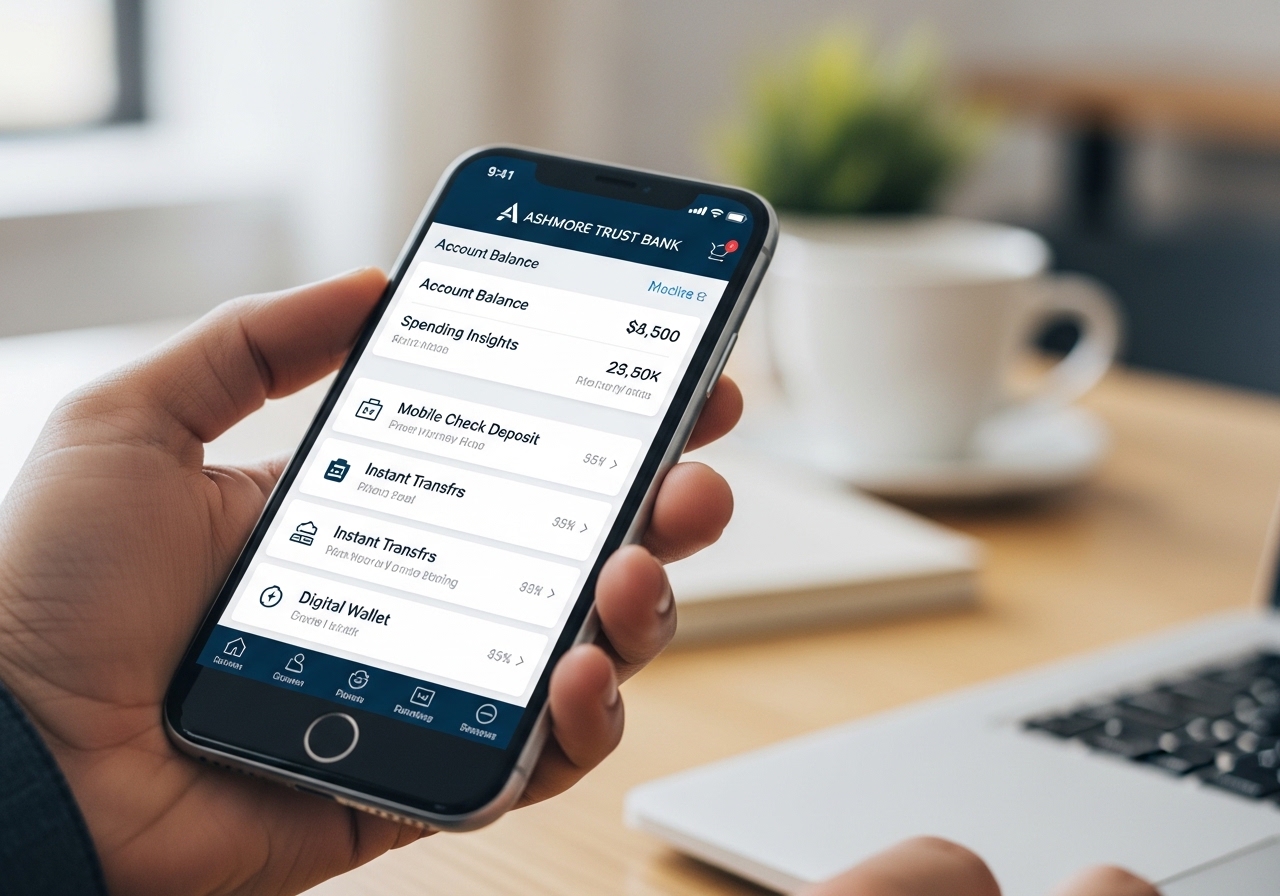
Banking at Your Fingertips

Secure, convenient, and always available. Manage your finances anytime, anywhere with our comprehensive digital banking services.

24/7 Account Access
4.8★ App Store Rating
Free Mobile App
Digital Banking

Digital Banking Services

Access your accounts, pay bills, send money, and more - all from your computer or mobile device.

Online Banking

Secure access to your accounts 24/7. Check balances, view transactions, transfer funds, and manage your finances from any device.

Learn More

Mobile Banking App

Take the bank with you wherever you go. Our award-winning app puts powerful banking tools right in your pocket.

Learn More

BillPay

Pay anyone, anytime with our free BillPay service. Schedule one-time or recurring payments and go paperless.

Learn More

Zelle®

Send money instantly to friends and family. All you need is an email address or U.S. mobile number.

Learn More

Everything You Need, All in One Place

24/7 Account Access

Check balances, view transaction history, and monitor your accounts anytime, day or night.

Mobile Check Deposit

Deposit checks instantly by simply taking a photo with your smartphone camera.

Account Alerts

Get notified of important account activity via text, email, or push notification.

Secure Messaging

Send encrypted messages to customer support directly through online banking.

eStatements

View, download, and print up to 7 years of statements - securely and paper-free.

Card Controls

Lock/unlock your card, set spending limits, and manage travel notifications.

Ashmore Trust Mobile App

Bank on the go with our powerful mobile app. Available for iOS and Android devices.

  • Biometric Login - Use Face ID or Touch ID for quick, secure access
  • Mobile Check Deposit - Deposit checks in seconds
  • Spending Insights - Track and categorize your expenses
  • Instant Transfers - Move money between accounts instantly
  • Digital Wallet - Add your card to Apple Pay and Google Pay
Download on App Store Get it on Google Play
Mobile App Screens

Detailed Service Information

Online Banking & eStatements

Our secure online banking platform gives you complete control over your finances from any computer, tablet, or smartphone with internet access.

Features:

  • View real-time account balances and transaction history
  • Transfer funds between your Ashmore Trust accounts
  • Send wire transfers and external transfers to other banks
  • Access up to 7 years of eStatements and tax documents
  • View and download check images
  • Reorder checks with a few clicks
  • Update your contact information and preferences
  • Manage account alerts and notifications

eStatements Benefits:

  • Faster delivery - available as soon as your statement is generated
  • Secure storage - access anytime, no paper clutter
  • Environmentally friendly - reduce paper waste
  • Searchable PDF format - easily find specific transactions
  • Download and print capability for your records

A valid email address is required to enroll in online banking. Standard internet connection and browser required.

Mobile Banking App

The Ashmore Trust mobile app brings full banking functionality to your smartphone or tablet. Download it free from the App Store or Google Play.

App Features:

  • Quick Balance: View account balances without logging in (optional)
  • Mobile Check Deposit: Endorse and deposit checks by taking photos
  • BillPay: Create, edit, and cancel payments
  • Zelle® Integration: Send and receive money instantly
  • Card Management: Lock/unlock your debit card, report lost/stolen
  • ATM/Branch Locator: Find nearby locations with GPS
  • Biometric Login: Use Face ID, Touch ID, or fingerprint authentication
  • Push Notifications: Get real-time alerts for account activity

Supported Devices:

  • iOS devices running iOS 14.0 or later
  • Android devices running Android 8.0 or later
  • Compatible with tablets and smartphones

Mobile carrier data charges may apply. Check with your provider for details.

BillPay

Our free BillPay service simplifies your monthly bills. Pay anyone in the United States - from utilities and credit cards to landlords and contractors.

Key Features:

  • Pay Anyone: Send payments to individuals or businesses
  • Recurring Payments: Set up automatic payments for regular bills
  • Future Dating: Schedule payments in advance
  • eBills: Receive electronic bills directly in online banking
  • Payment Reminders: Get notified before bills are due
  • Payment History: Track all payments for budgeting and tax purposes
  • Payment Categorization: Organize expenses for better financial planning

How It Works:

  1. Log in to online banking and navigate to BillPay
  2. Add payees by name, address, and account number
  3. Enter payment amount and date
  4. Funds are debited from your checking account on the scheduled date
  5. Payments are delivered electronically or by check

Allow 3-5 business days for electronic payments, 5-7 days for check payments. No fee for standard delivery.

Zelle® - Send Money Instantly

Zelle® is a fast, safe, and easy way to send money to friends, family, and people you trust - right from our mobile app or online banking.

How Zelle® Works:

  • Send money directly from your checking account to almost any U.S. bank account
  • Recipient receives funds in minutes when both parties are enrolled with Zelle®
  • All you need is the recipient's email address or U.S. mobile number
  • No fees for sending or receiving money

To Get Started:

  1. Log in to the Ashmore Trust mobile app or online banking
  2. Select "Send Money with Zelle®"
  3. Accept terms and conditions
  4. Add your email address or U.S. mobile number
  5. Start sending and receiving money instantly

Important Information:

  • Both sender and recipient must have a U.S. bank account
  • Zelle® should only be used to send money to people you trust
  • Transactions cannot be reversed once sent
  • Daily send limits apply based on your account history

Zelle® and the Zelle® related marks are wholly owned by Early Warning Services, LLC and are used herein under license.

Mobile Wallet (Apple Pay, Google Pay, Samsung Pay)

Add your Ashmore Trust debit and credit cards to your mobile wallet for secure, contactless payments wherever they're accepted.

Supported Wallets:

  • Apple Pay: For iPhone, Apple Watch, iPad, and Mac
  • Google Pay: For Android phones and tablets
  • Samsung Pay: For Samsung Galaxy devices

Benefits:

  • Contactless payments - just tap and go
  • Enhanced security - your actual card number isn't shared with merchants
  • Works at millions of locations worldwide
  • Use in apps and online for faster checkout
  • Your card information is encrypted and protected

How to Add Your Card:

  1. Open your device's wallet app
  2. Tap "Add Card" and follow the prompts
  3. Use your device camera to capture card information or enter manually
  4. Verify your card through a one-time code sent via text or email
  5. Start using your digital wallet immediately
Account Alerts & Security Features

Stay informed and protected with customizable alerts and advanced security features.

Available Alerts:

  • Balance Alerts: Get notified when your balance falls below a threshold
  • Transaction Alerts: Receive notifications for purchases over a set amount
  • Deposit Alerts: Know when your paycheck or other deposits post
  • Withdrawal Alerts: Track cash withdrawals and large transfers
  • BillPay Reminders: Get notified before scheduled payments
  • Login Alerts: Receive notification when new devices access your account
  • Password Changes: Alert when your password is updated

Security Features:

  • Multi-Factor Authentication: Additional verification for login
  • Device Recognition: We recognize your trusted devices
  • Automatic Logoff: Session expires after inactivity
  • 128-Bit Encryption: All data is encrypted during transmission
  • Fraud Monitoring: 24/7 monitoring for suspicious activity
  • Secure Messaging: Encrypted communication with customer support
Card Controls & Management

Take control of your debit and credit cards directly from the mobile app with our Card Management features.

Card Controls:

  • Lock/Unlock Card: Instantly disable your card if misplaced, then unlock when found
  • Transaction Limits: Set spending limits for online, in-store, and ATM transactions
  • Location Controls: Restrict usage by geographic region
  • Merchant Type Restrictions: Block certain types of merchants
  • Travel Notifications: Set travel dates so we know when you're away

If Your Card is Lost or Stolen:

  1. Lock your card immediately through the mobile app
  2. Contact customer service to report it lost/stolen and request a replacement
  3. Review recent transactions for any unauthorized charges
  4. We'll expedite your replacement card

Bank-Grade Security You Can Trust

Multi-Factor Authentication

Extra layer of security to verify your identity

128-Bit Encryption

Industry-standard protection for all data

24/7 Fraud Monitoring

Continuous surveillance of account activity

Biometric Login

Face ID, Touch ID, and fingerprint options

Frequently Asked Questions

How do I enroll in online banking?

Visit our website and click "Enroll" on the online banking login page. You'll need your account number, Social Security number, and an email address. Follow the prompts to create your username and password. Once enrolled, you can immediately access your accounts.

Is mobile banking free?

Yes, the Ashmore Trust mobile app is free to download and use. However, standard mobile carrier data charges may apply. Check with your mobile provider for details about your data plan.

What is the mobile check deposit limit?

Mobile check deposit limits vary based on your account history and relationship with us. New users typically start with a $2,000 daily limit and $5,000 monthly limit. Limits may increase over time as you establish a positive banking history.

How long do Zelle® transfers take?

When both the sender and recipient are enrolled with Zelle®, transactions typically occur within minutes. If the recipient isn't enrolled, they'll receive instructions to enroll, and funds will be available shortly after enrollment is complete.

What should I do if I forget my password?

Click the "Forgot Password" link on the login page. You'll be prompted to verify your identity using your account number, Social Security number, and either email or text verification. You can then create a new password immediately.

Can I schedule payments in advance with BillPay?

Yes, you can schedule payments up to one year in advance. You can also set up recurring payments for regular bills like rent, utilities, and subscriptions. You'll have the opportunity to review and edit scheduled payments at any time.

Ready to Bank Digitally?

Enroll in online banking today and experience the convenience of 24/7 account access. Already have an account? Log in to explore our digital services.

Enroll Now Log In

*Mobile carrier data charges may apply. Check with your provider for details. Zelle® and the Zelle® related marks are wholly owned by Early Warning Services, LLC and are used herein under license. Apple Pay and the Apple Pay logo are trademarks of Apple Inc. Google Pay is a trademark of Google LLC. Samsung Pay is a trademark of Samsung Electronics Co., Ltd.

Online banking and mobile app require internet access. Features may vary by device and operating system. For security, never share your login credentials with anyone. Ashmore Trust Bank will never ask for your password via email or text.

Some services may require enrollment and have eligibility requirements. Terms and conditions apply. See full disclosures for details.